
Crise mobile municipale
Affectez les équipes CAT depuis un tableau en direct, gardez le statut terrain sur les téléphones et transférez vers les programmes locaux sans tableur parallèle.
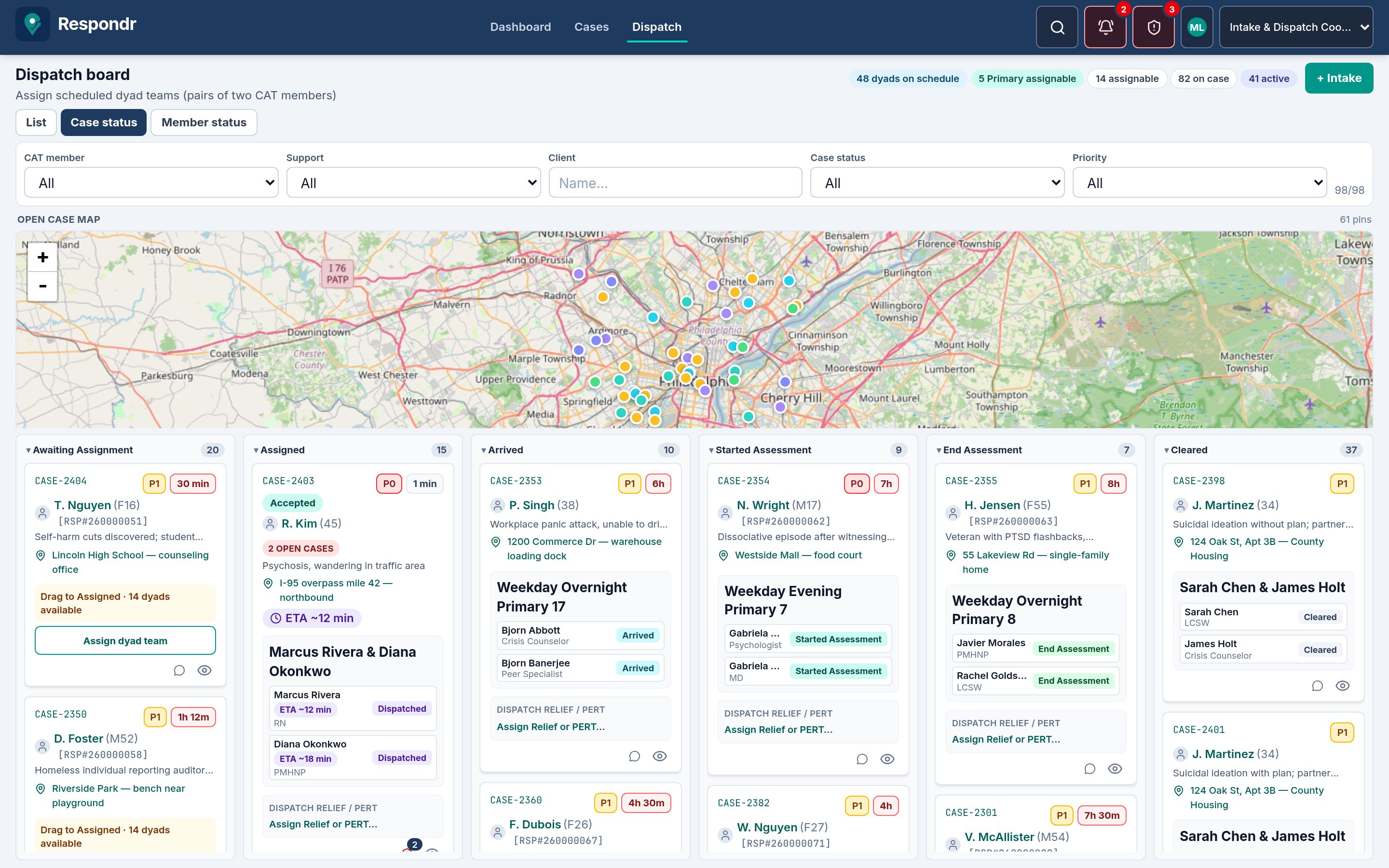
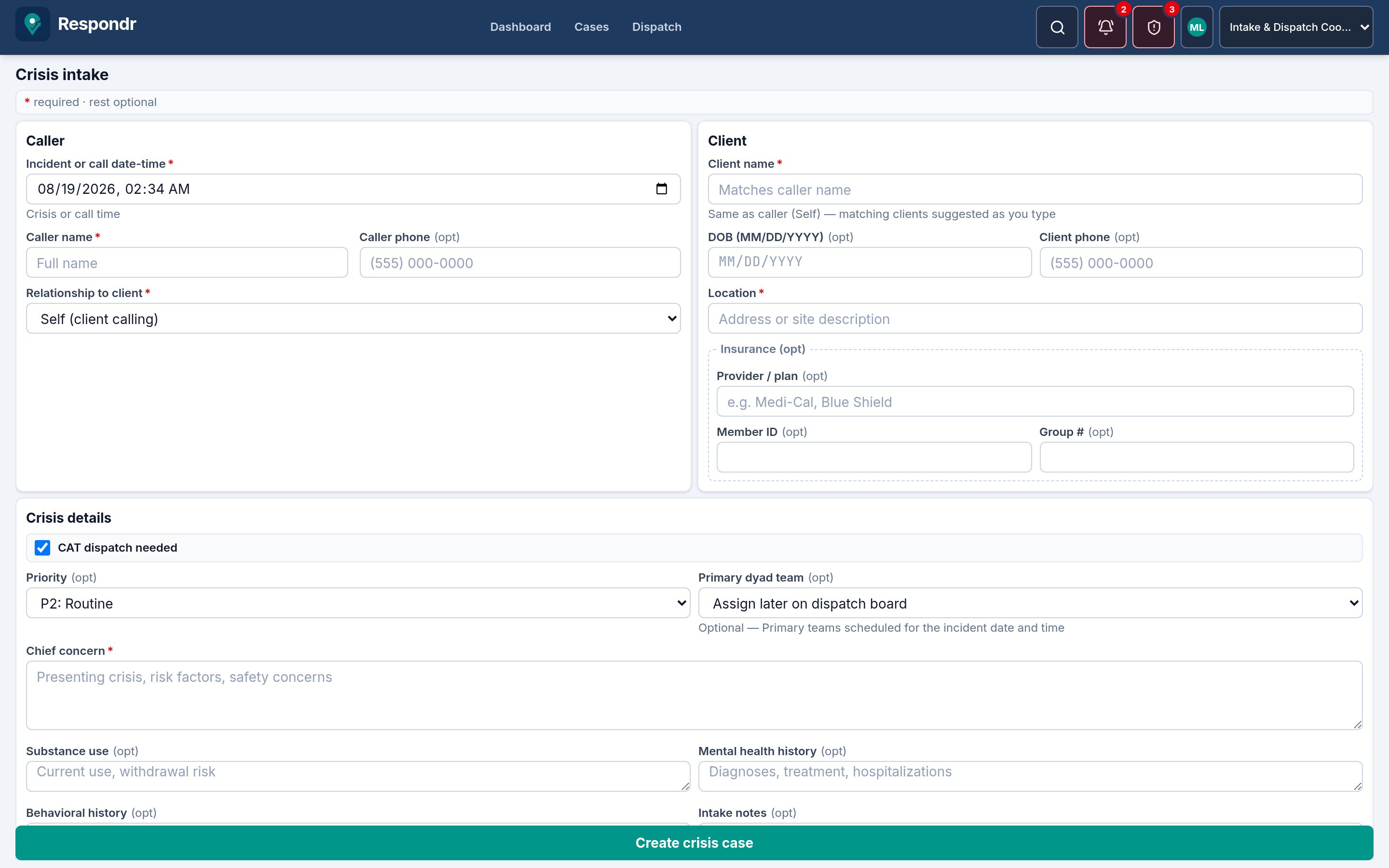
Respondr.care relie l'intake aligné sur le 988 et les lignes de crise locales, le dispatch des équipes CAT, l'évaluation sur le terrain et le transfert de programme pour les équipes de crise mobile des villes, comtés et États. Le CAT voit l'ETA après acceptation et une carte de l'incident sur téléphone et tablette.
Pour les équipes des villes, comtés et États qui gèrent Crisis Now et la crise mobile 988
≤ 5 min
SLA d’affectation à CAT
100%
Actions journalisées d’audit
24/7
Couverture de la ligne de crise
988
Workflows d’intake alignés
Un fil unique de l’intake au CAT pour le 988 et les lignes de crise locales — qu’il s’agisse d’une unité municipale, d’un programme de santé comportementale du comté ou d’un continuum État/région.
Affectez les équipes CAT depuis un tableau en direct, gardez le statut terrain sur les téléphones et transférez vers les programmes locaux sans tableur parallèle.
Intake Coordinator, SLA d’affectation et de réponse, suivis à 72 heures et files Supervisor pour des opérations alignées Crisis Now / 988. Voir les pages des États.
Dossiers de cas partagés, chat d’équipe et pistes d’audit pour que plusieurs juridictions restent sur le même épisode de crise du premier contact à l’admission au programme.
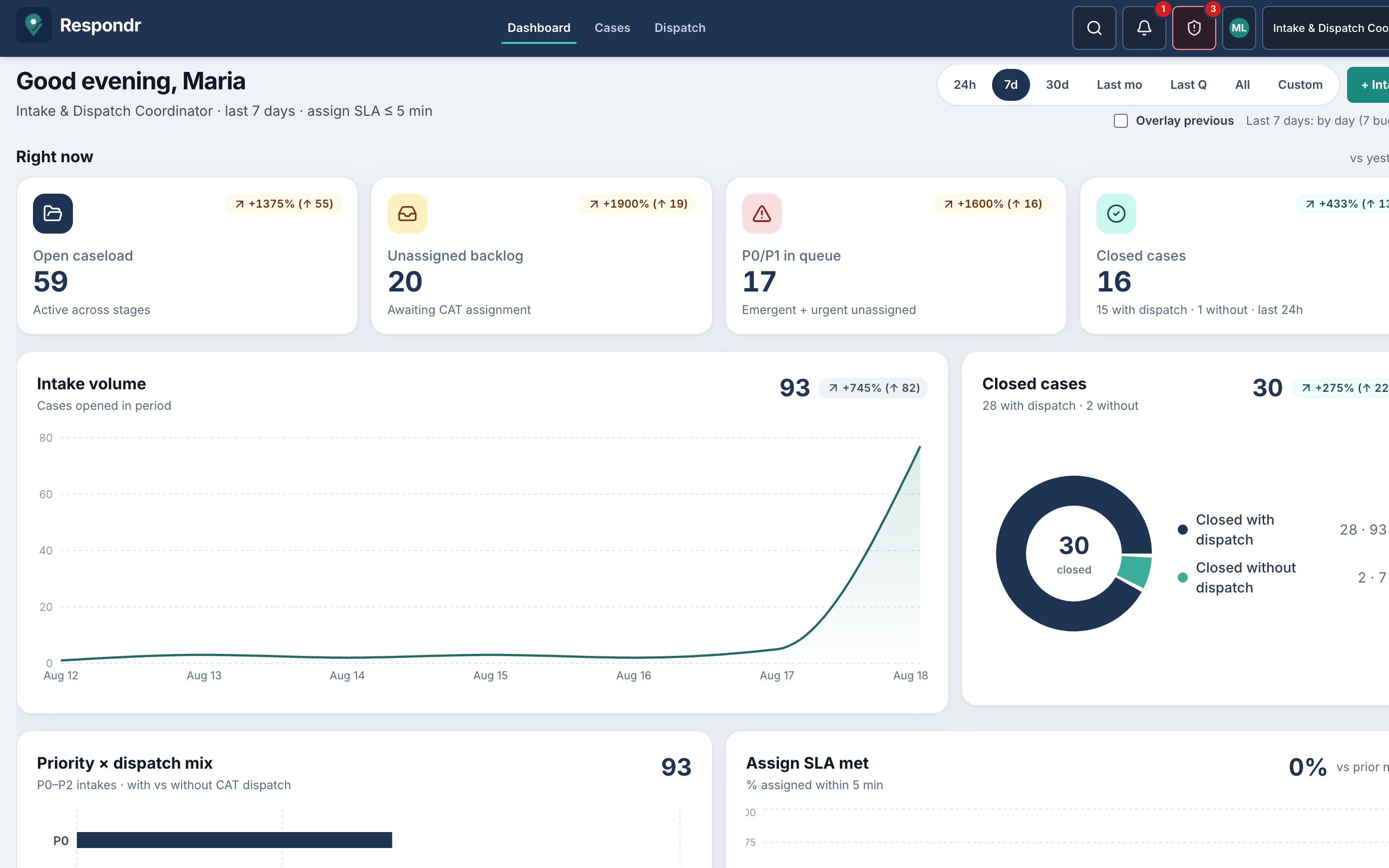
Le temps de réponse en crise est surtout de l’attente : un P0 non affecté, une équipe CAT qui n’a pas accepté, un cas immobile depuis un jour. Le tableau de bord rend ces attentes comptables pour que les Coordinator affectent dans le SLA de cinq minutes, que CAT termine les suivis avant échéance, et que les Supervisor repèrent les cas stagnants et la couverture fine avant le prochain appel 988.
La plupart des retards surviennent avant qu’une équipe CAT soit sur le cas. Les Coordinator voient qui attend maintenant — et lesquelles de ces attentes sont urgentes — pour que la prochaine affectation raccourcisse la réponse, pas celle qui se trouvait en haut d’une liste.
Intake → CAT affecté vise cinq minutes. Affectation → arrivée est le proxy de deux heures style Crisis Now. Superposez la fenêtre précédente pour qu’une semaine lente soit un chiffre sur le tableau, pas une histoire racontée après le quart.
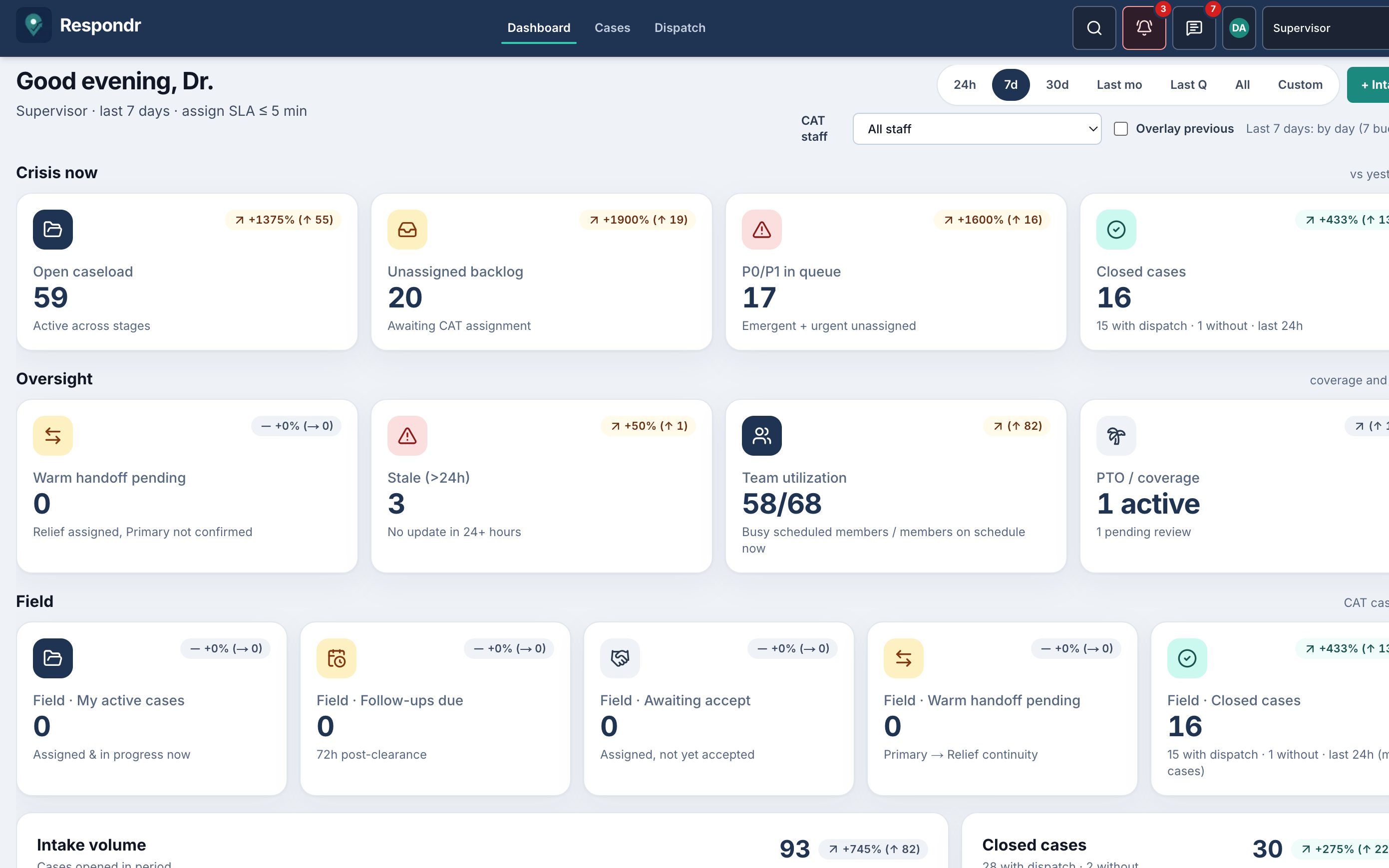
Les Supervisor voient les cas silencieux depuis 24+ heures et si le personnel planifié est déjà sur place. CAT voit les suivis dus pour que le clearance ne soit pas le dernier contact. Le vieillissement et la couverture fine sont la façon dont une première affectation rapide échoue encore pour la personne.
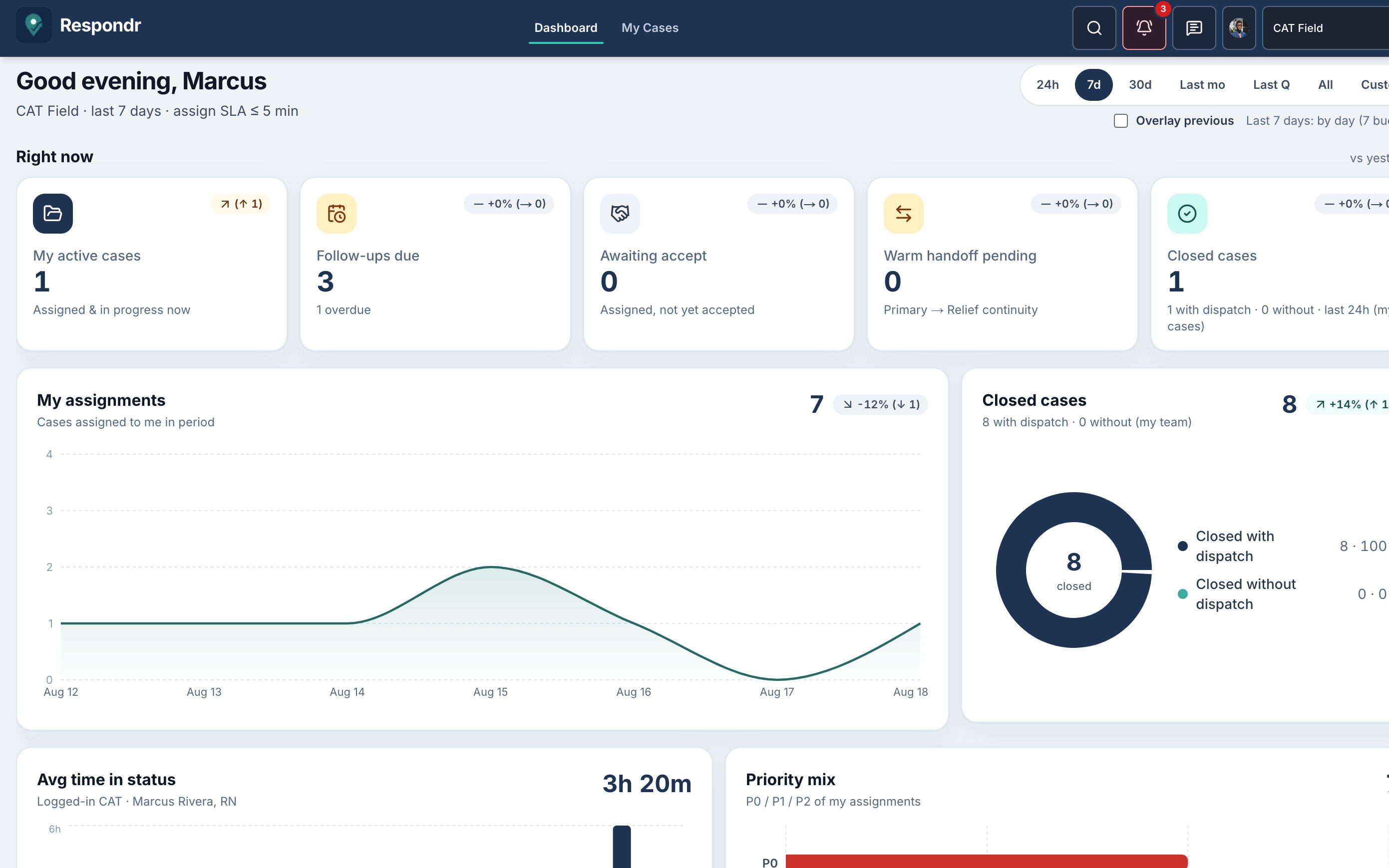
CAT sur le terrain
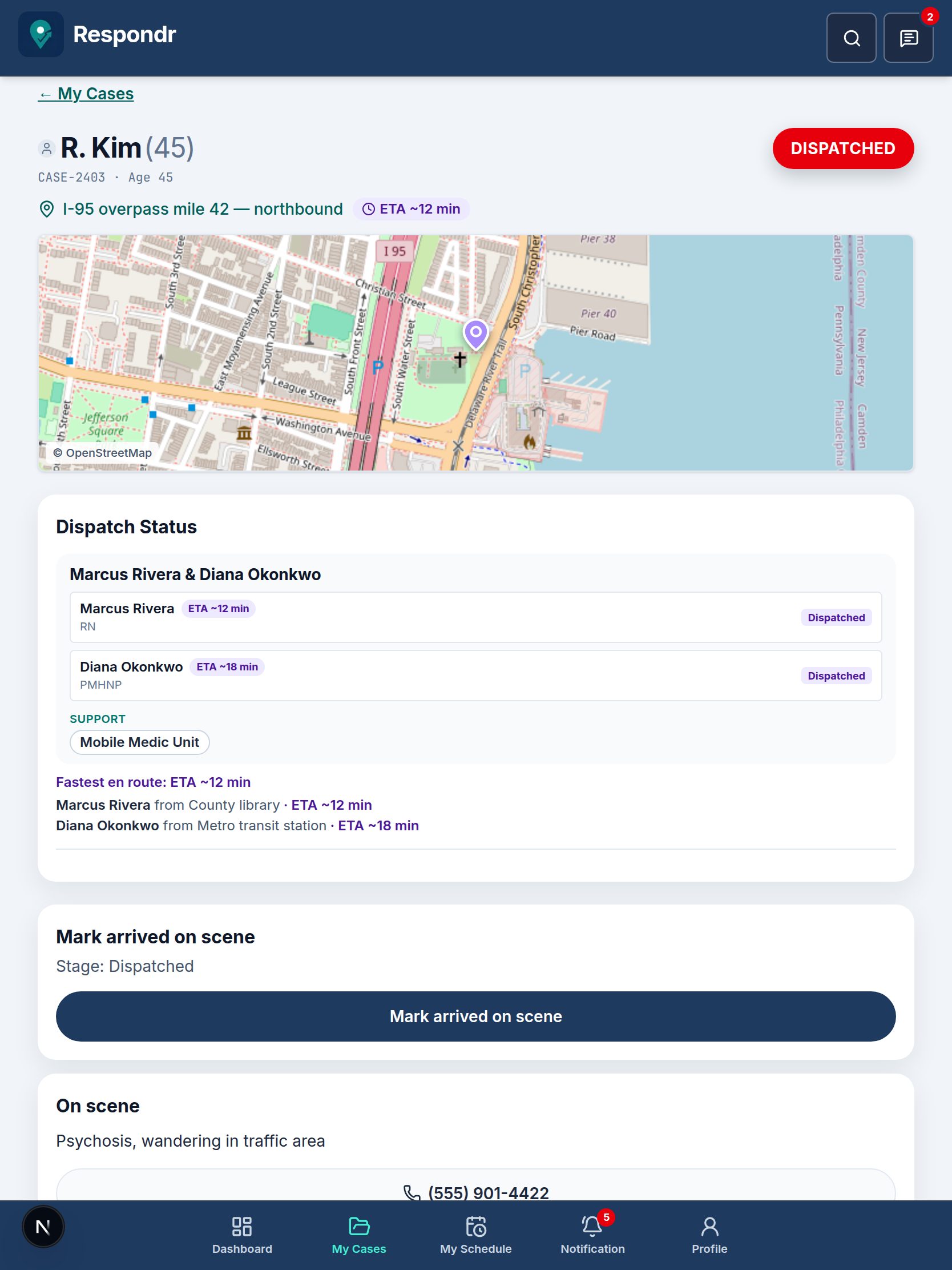
CAT My Cases est un accueil terrain plus calme, aux grands boutons. La mise en page téléphone est une colonne. Celle de la tablette est une grille de cas à deux colonnes. Quand un membre accepte l’affectation, l’équipe voit un ETA à côté de l’épingle de l’incident et une carte de la scène.
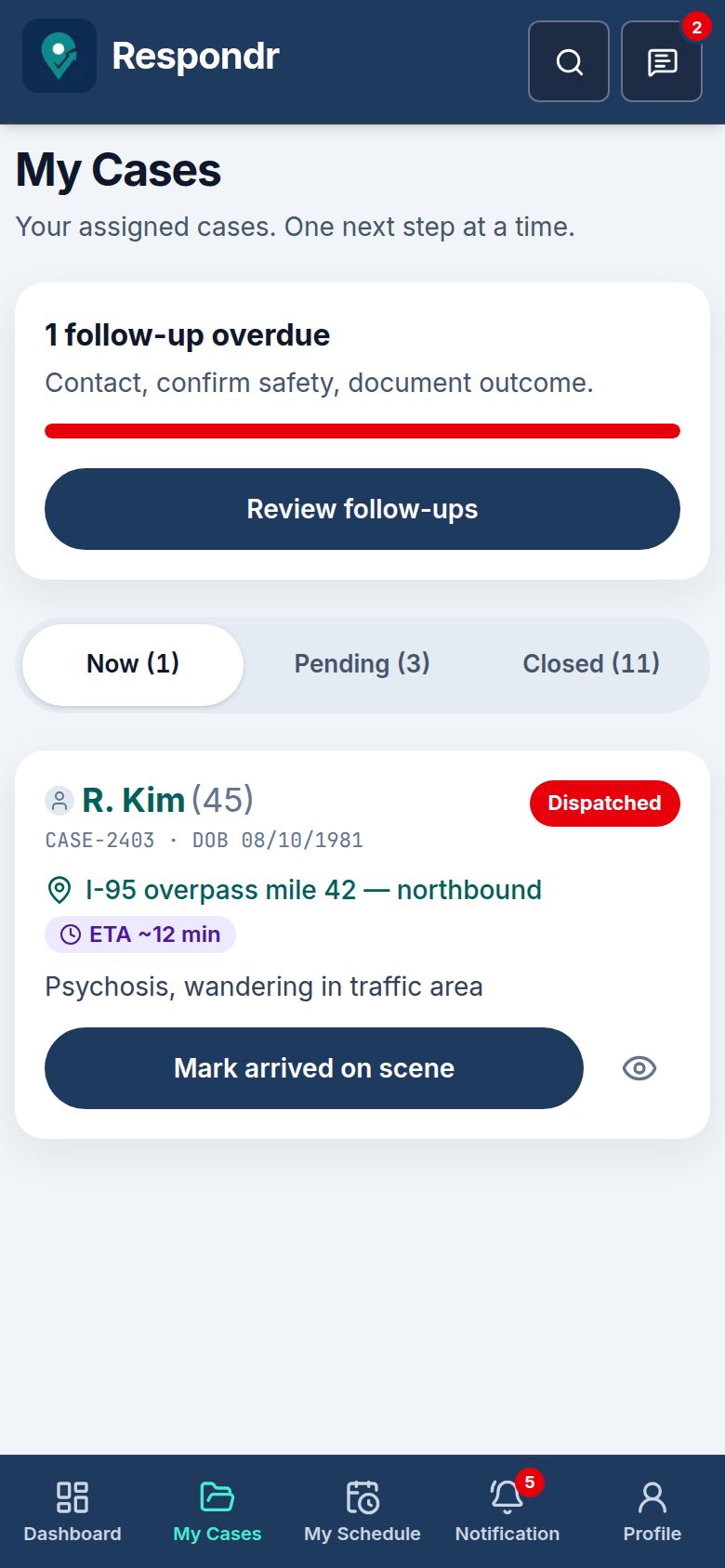
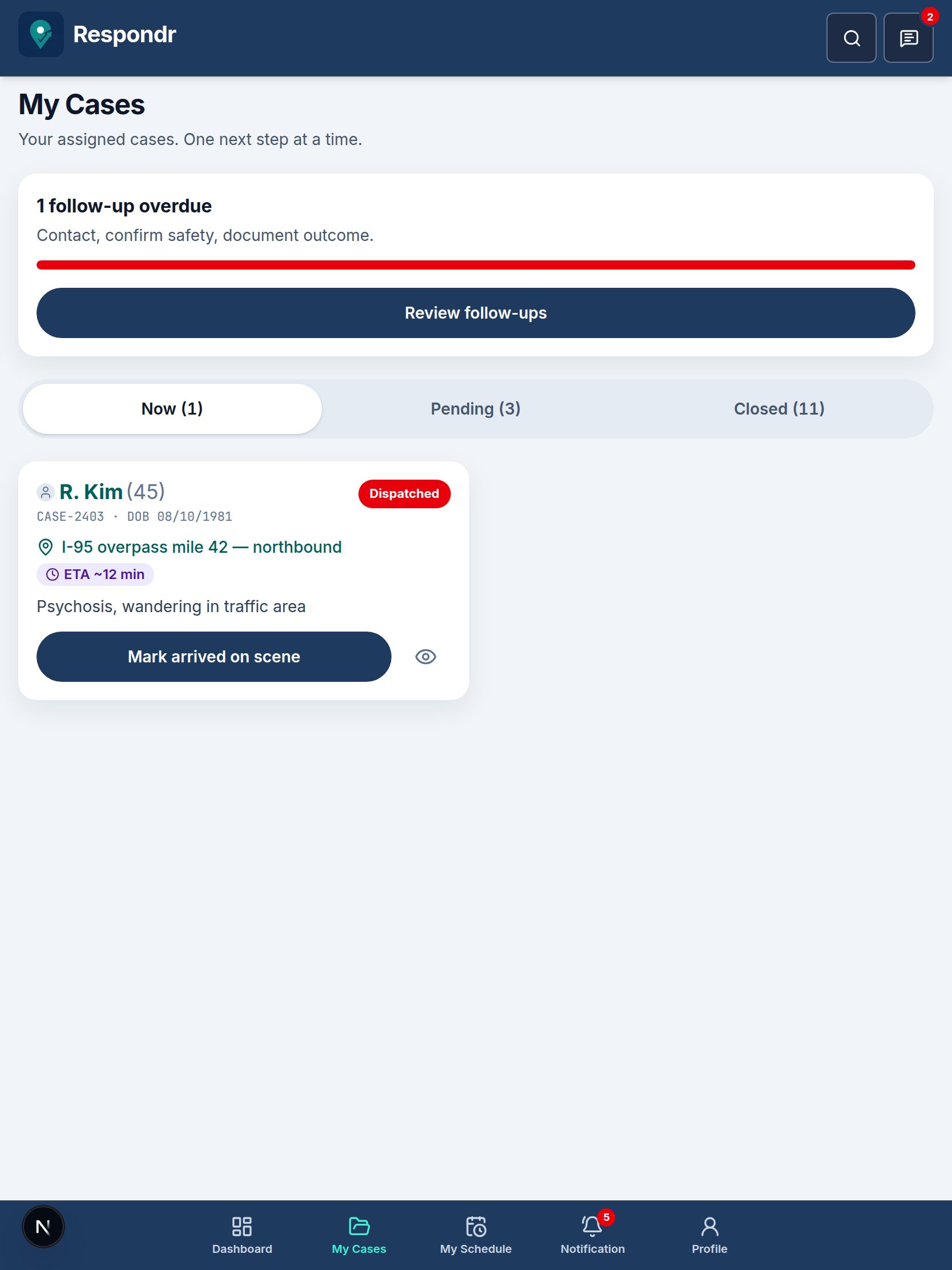
Accept dispatch capture où se trouve le membre CAT. Chacun obtient sa propre estimation de temps de trajet. L’ETA le plus rapide reste à côté de l’adresse de l’incident jusqu’à ce que quelqu’un marque Arrived on scene — pour que le dispatch et le reste de l’équipe CAT voient qui est le plus proche.
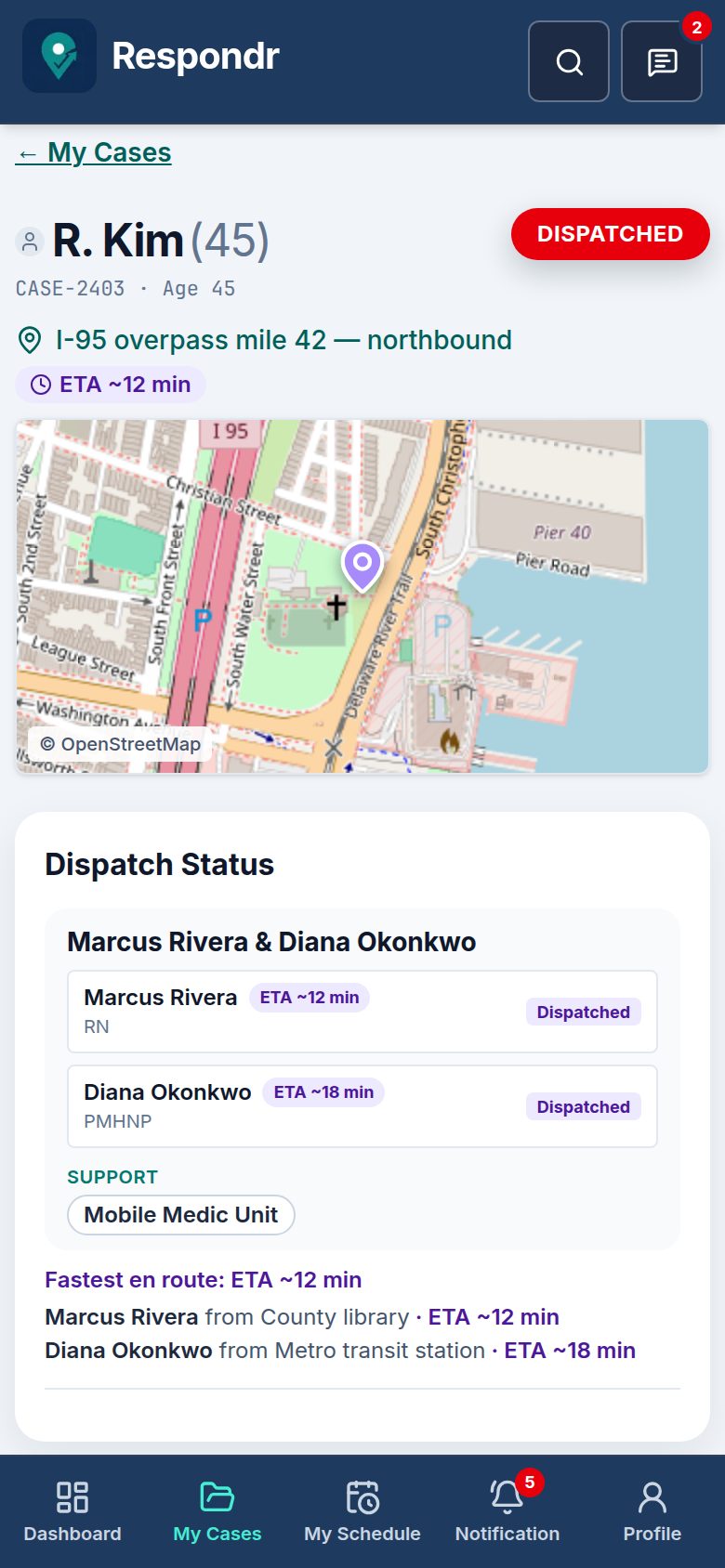
Le détail du cas ouvre une carte pleine largeur de la scène sous Location. Touchez l’épingle pour ouvrir Apple Maps ou Google Maps pour le guidage. La tablette donne plus d’espace au même dossier sans kanban de bureau.
Voyez comment Respondr fait passer une personne du premier contact au dispatch, à l’évaluation et à la connexion au programme du comté — sans perdre le contexte.
Étape 1 sur 6
988 ou ligne du comté — le spécialiste ouvre un cas en temps réel.
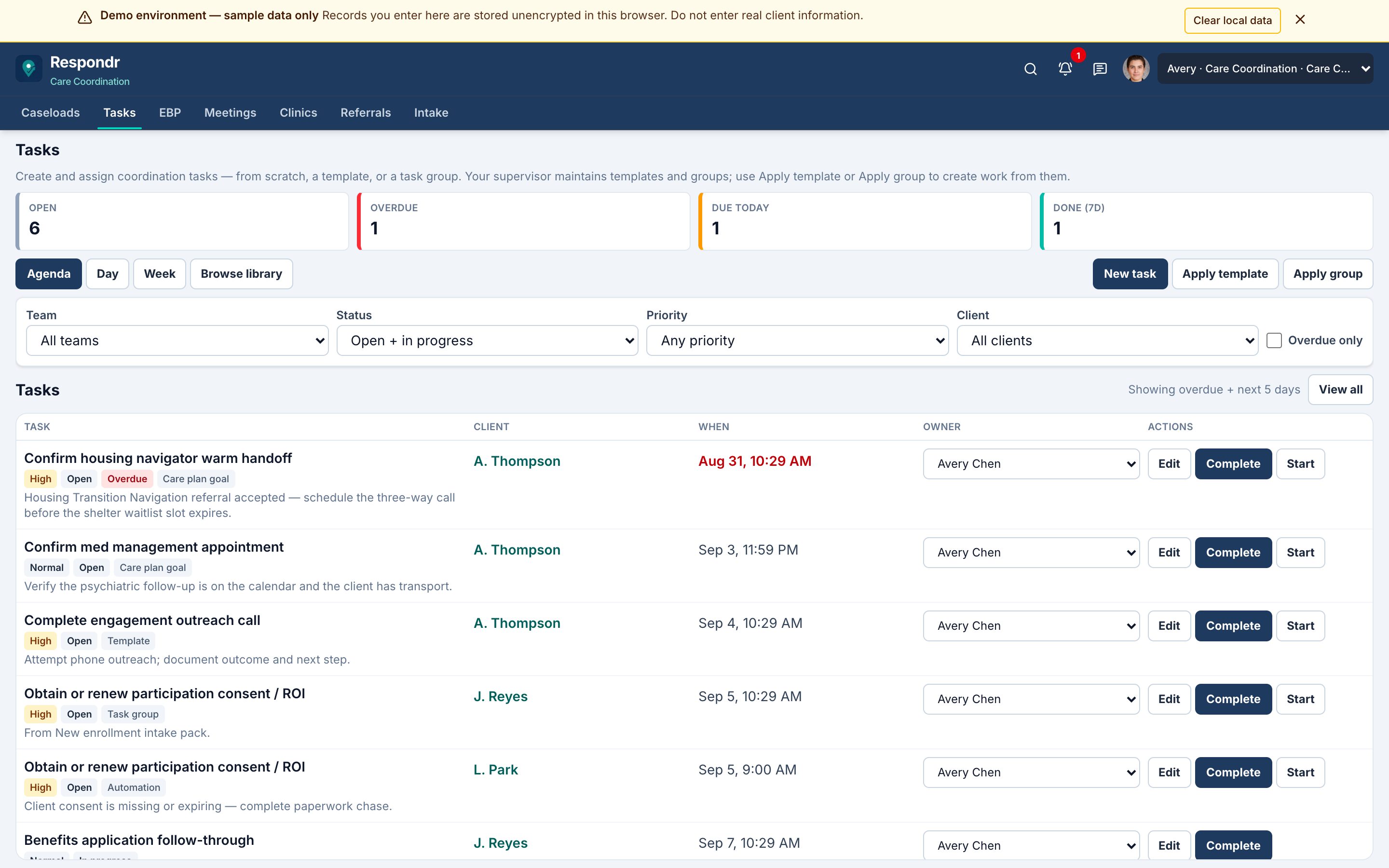
Crisis owns tonight’s emergency. Bed and SUD own the stay. Care Coordination owns the thread. “We faxed it” is not a status — Accepted, Waitlisted, Admitted, or Declined with a reason.
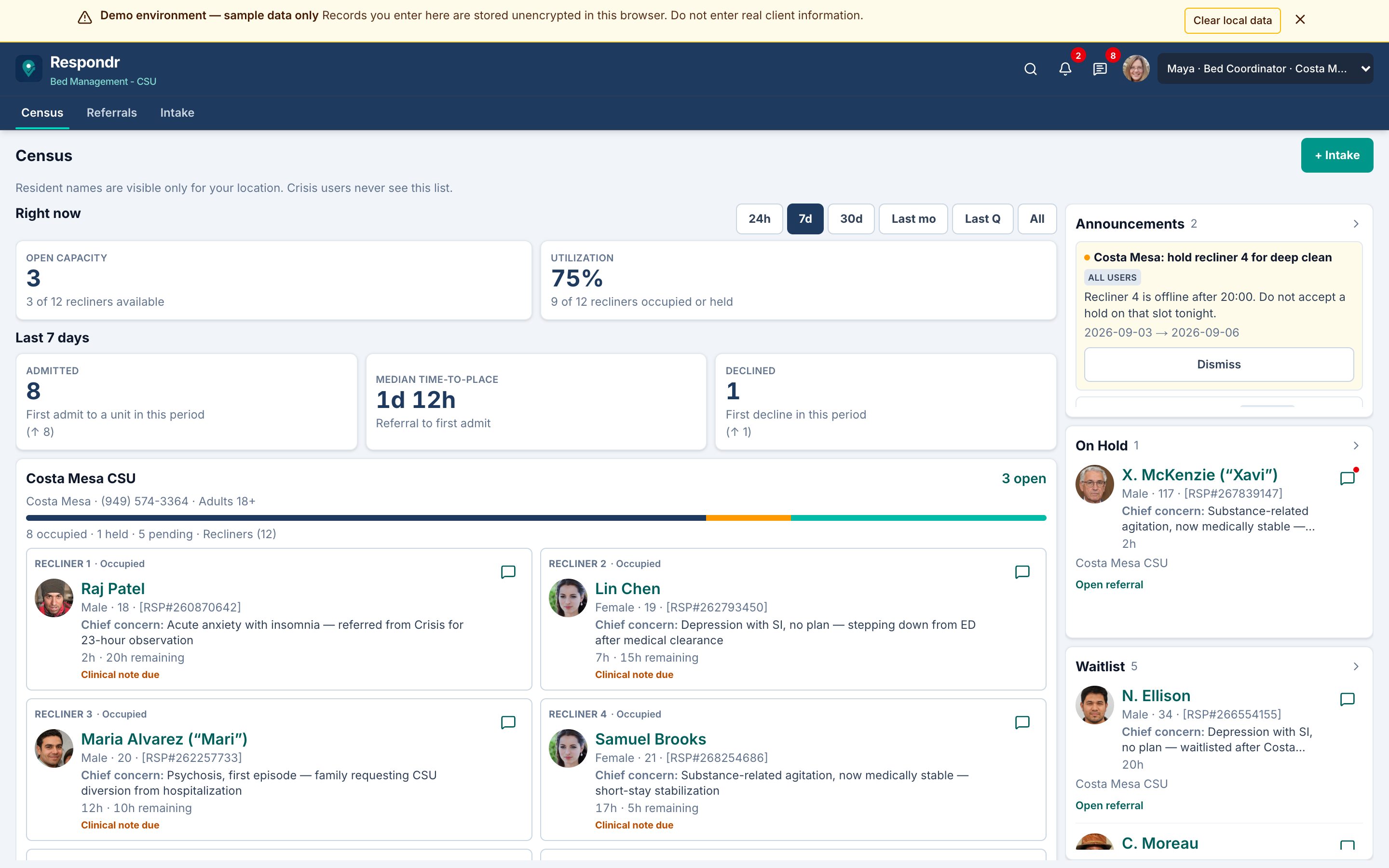
Tonight’s bed
Bed Management shows open capacity, occupied names, holds, and waitlist rails for CSU, CRS, and in-home slots. Crisis sends a closed-loop packet; accepting a referral is not the same as admitting to a bed.
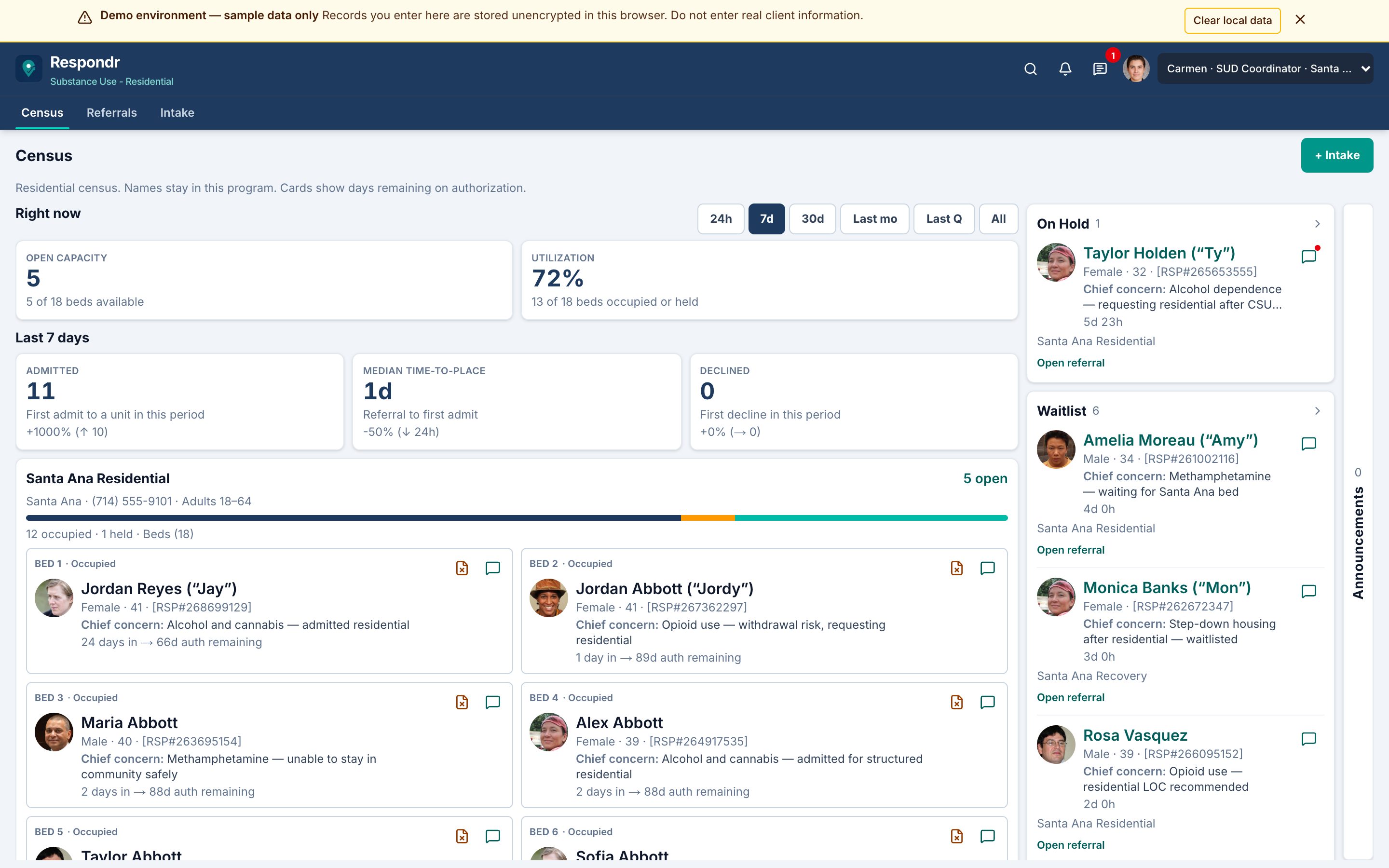
This treatment stay
Substance Use census tracks who is on the unit and how authorization days remain — so the stay, not just the referral fax, stays operational.
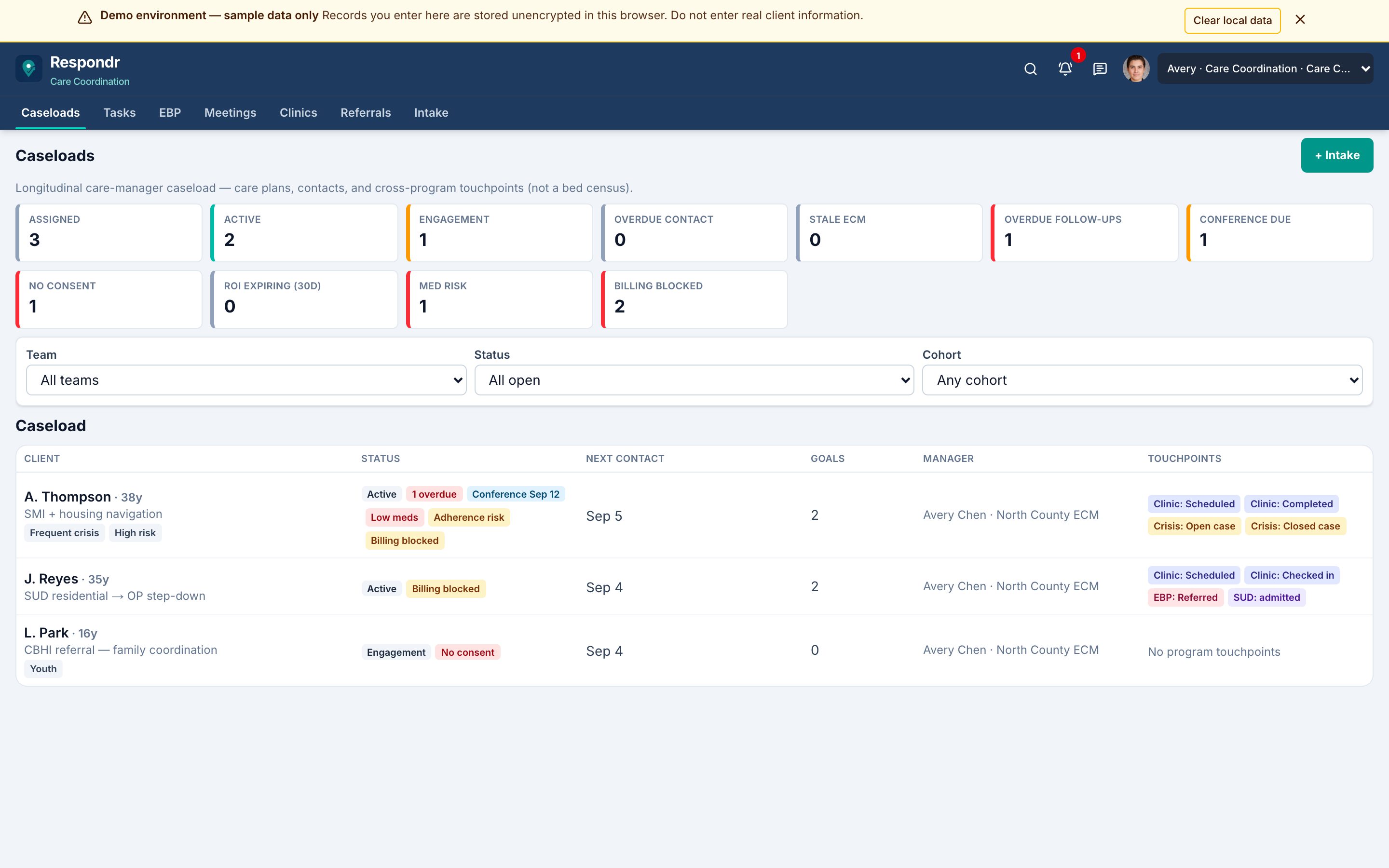
The months after
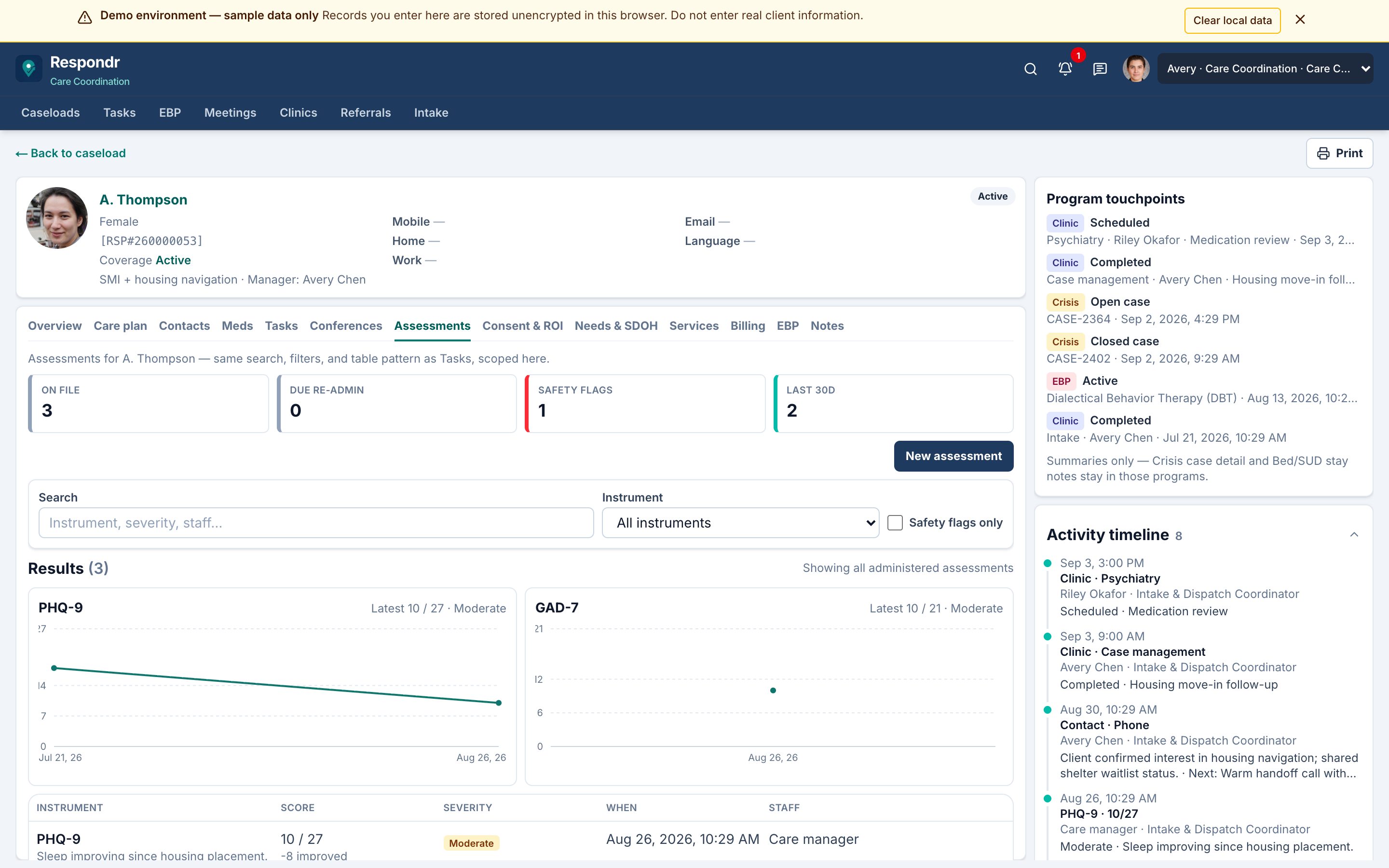
Care Coordination enrolls the person after crisis or discharge. Coordinators work overdue contacts, tasks, meds awareness, and assessments without opening CSU overnight notes or the crisis kanban.
Les équipes de crise ne partagent pas un seul formulaire d’intake. Partagez comment fonctionnent vraiment votre ligne, votre dispatch et vos suivis. Nous ajustons la démo en direct en quelques jours — la construction assistée par IA explique la rapidité, ce n’est pas ce que vous achetez — puis vous parcourez le même fil selon vos règles.
Champs d’intake, équipe CAT vs solo, SLA d’affectation, suivi à 72 heures, et ce que « cleared » signifie dans votre équipe.
Le workflow et les seeds changent généralement en quelques jours — champs, SLAs, statuts CAT, liste de ressources. L’hébergement HIPAA, le BAA, le SSO et l’intégration EHR ou fournisseur 988 ne se font pas en une semaine ; nous le disons d’emblée.
Les mêmes personas — Coordinator, CAT et Supervisor — sur un tableau qui suit votre protocole, pas un modèle de comté générique.
Les Coordinator, CAT et Supervisor ont une cloche d’en-tête pour ce qu’ils doivent faire, et un fil de cas pour que l’équipe ne quitte pas le dossier.
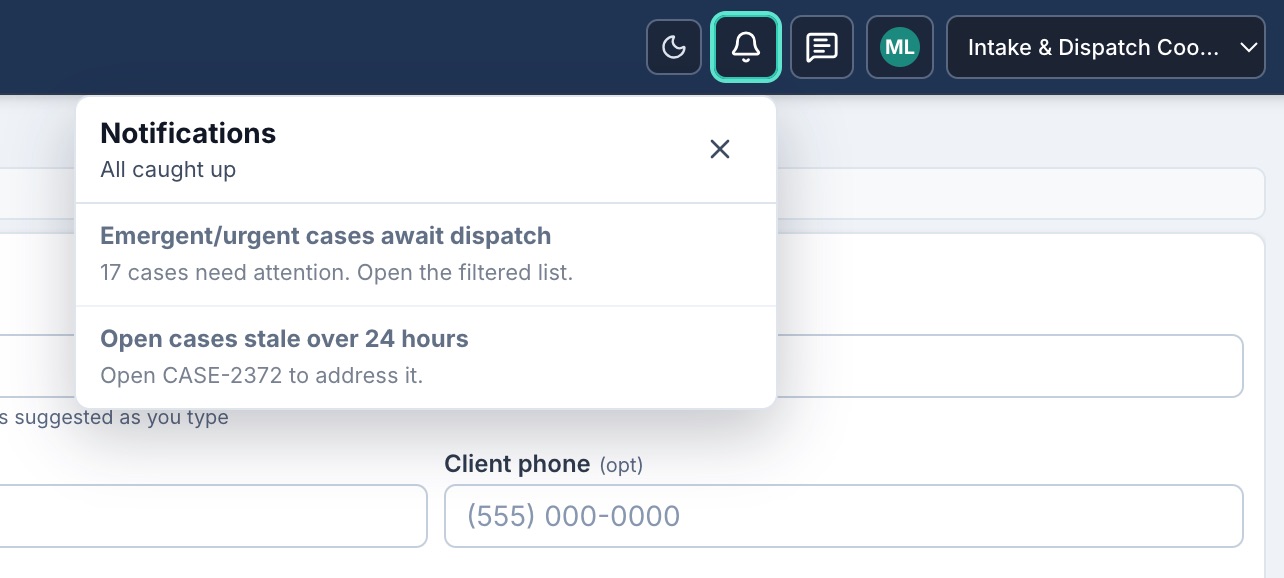
Éléments selon le rôle : P0/P1 en attente de dispatch, suivis à 72 heures en retard, warm handoffs en attente, PTO à examiner et écarts de staffing. Cliquez pour ouvrir le cas, le filtre ou l’écran du planificateur exact.
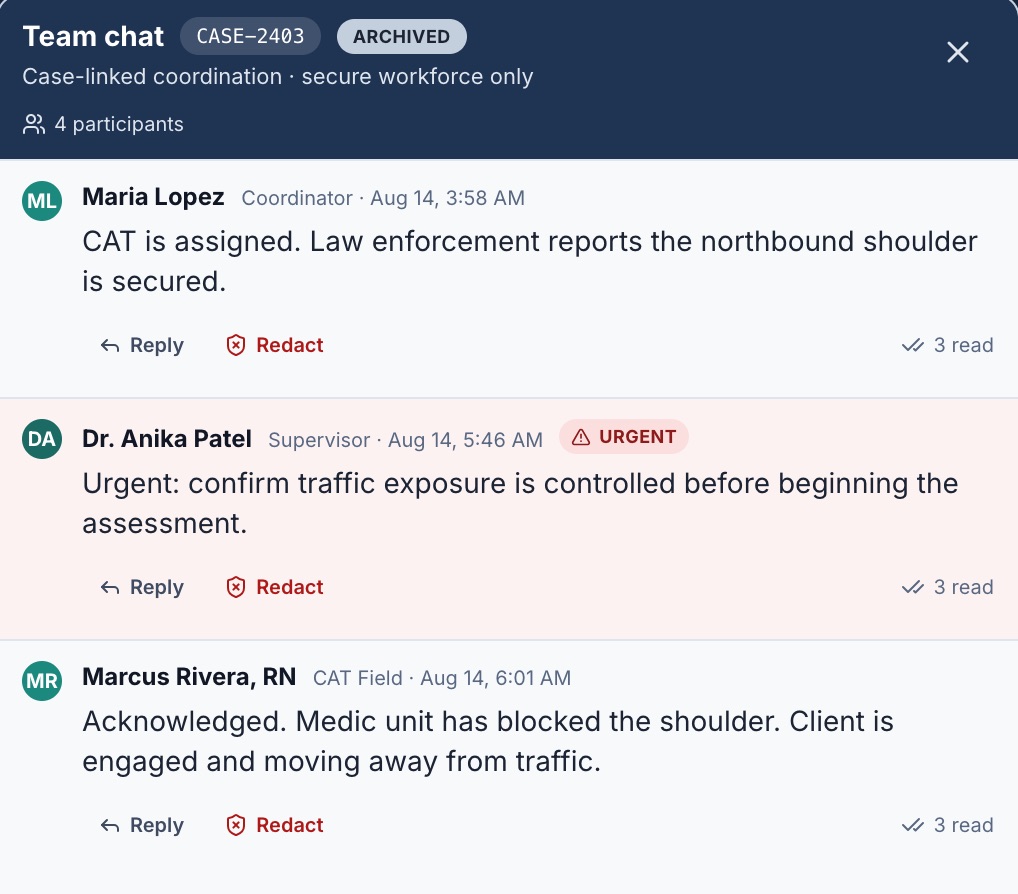
Chaque cas conserve un fil d’équipe avec des compteurs non lus dans l’en-tête. Terrain et dispatch restent alignés sur l’arrivée, l’évaluation et le transfert sans canal parallèle.
Non. Respondr est une plateforme d'opérations de crise axée sur l'intake, le dispatch, l'évaluation terrain et le transfert de programme. Elle complète vos systèmes cliniques existants plutôt que de les remplacer.
Unités de crise mobile municipales, santé comportementale de comté (y compris Crisis Now / centres d'appels 988), et programmes d'État ou régionaux qui ont besoin d'un fil unique intake-to-dispatch entre juridictions. Le même workflow s'étend d'une équipe CAT municipale à un conseil multi-comtés.
Oui. CAT Mes dossiers est conçu pour téléphones et tablettes : accueil téléphone en une colonne, grille tablette en deux colonnes, carte d'incident sur chaque mission, et ETA à côté de l'adresse après acceptation du dispatch.
Chaque dossier a un fil de chat d'équipe. Une cloche dans l'en-tête liste le travail selon le rôle — P0/P1 en attente de dispatch, suivis en retard, transferts chauds en attente et PTO à examiner — et ouvre l'écran exact.
Les dispatchers assignent les équipes CAT Primary planifiées depuis le tableau ou l'intake. Relief et PERT couvrent le renfort et l'escalade ; le statut par membre montre qui est arrivé, a commencé l'évaluation ou a été cleared.
Le tableau de bord superviseur affiche Crisis now (ouverts, non assignés, P0/P1), dossiers stagnants (24 h+), utilisation de l'équipe et PTO. Les notifications et le planning d'équipe CAT gardent le staffing et la charge de dossiers dans la même boucle.
Demandez une démo sur ce site. L'étape suivante est une visite guidée en direct avec notre équipe — intake, dispatch CAT et téléphone terrain sur un même fil. Vous pouvez réserver ce créneau depuis la page de confirmation. Nous e-mailons un code d'accès à durée limitée après examen de la demande ; le site ne génère pas de code automatiquement.
Les workflows et graines de démo — champs d'intake, SLAs, statuts CAT, règles de suivi, listes de ressources — changent généralement en quelques jours ou une à deux semaines. L'hébergement de production HIPAA, un BAA, SSO/IdP et l'intégration EHR ou fournisseur 988 ne se font pas en une semaine ; cela suit une conversation de production ultérieure. La démo publique utilise uniquement le stockage local du navigateur.
La plateforme de production est conçue pour un hébergement aligné HIPAA avec chiffrement, RBAC et journaux d'audit. Cette démo utilise uniquement le stockage local du navigateur et s'ouvre avec un code d'accès à durée limitée.
Yes. After crisis, closed-loop referrals go to Bed Management (CSU, CRS, in-home) or Substance Use (residential, detox, and related stays). Receiving staff accept, waitlist, or decline with a reason — Accept is not Admit — and live census shows capacity and the stay clock.
Care Coordination is the months after the incident: a caseload of people, care plan, outreach tasks, meds awareness, and assessments — not tonight’s dispatch board. Enrollment is intentional; crisis and stay documentation stay in their programs.
Parcourez l'intake, le dispatch d'équipe CAT, CAT Mes dossiers, le chat d'équipe et les alertes in-app. Demandez une démo ; nous vous enverrons un code d'accès par e-mail après examen de votre demande, puis choisissez une persona.